
Context and Compact
An agent keeps the whole conversation in its context: your messages, its replies and everything it read. The longer a chat runs, the fuller the context gets, and every new message has to carry all of it. The context meter shows how full it is. Compact replaces the long history with a short summary, so the next messages are cheaper and the chat can go on.
The context meter
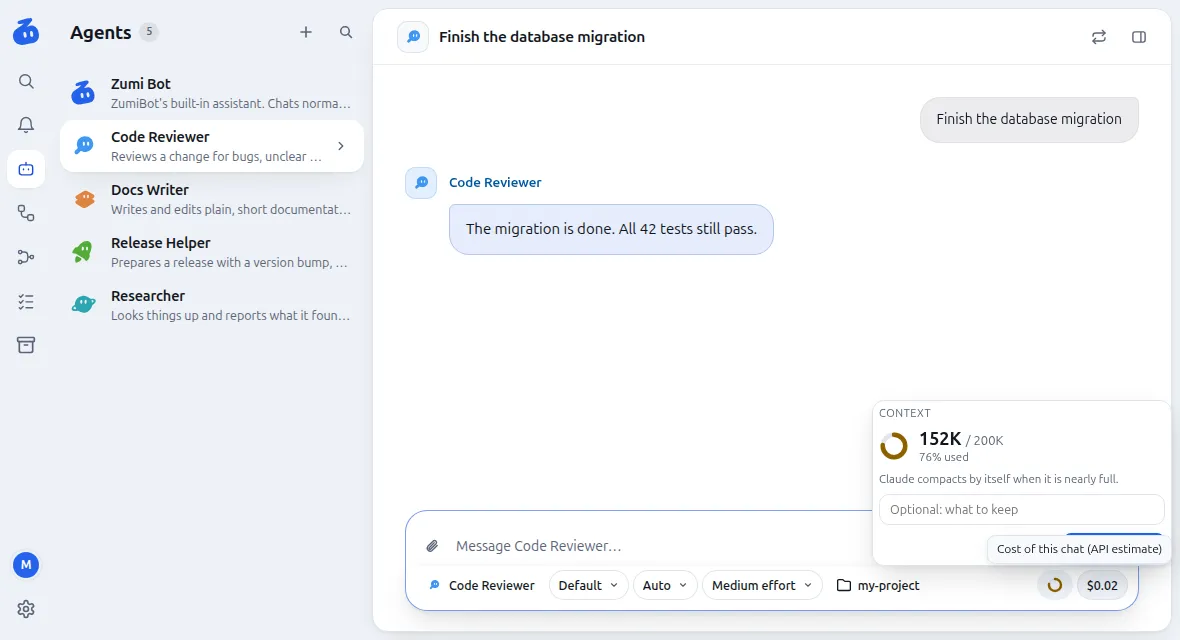
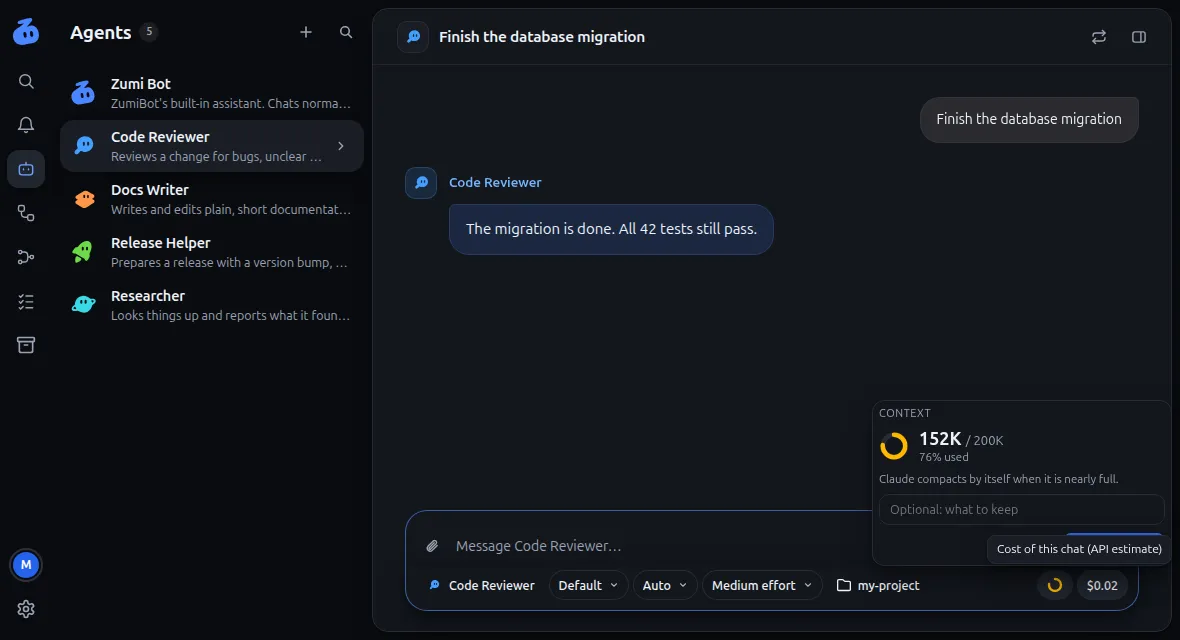
Section titled “The context meter”After the agent’s first reply, a small ring appears in the row under the message box, next to the cost. It fills as the context fills. From 75% it turns amber.
Point at the ring to see the exact numbers, such as “Context 9% · 17K / 200K”. Choose the ring to open the Context popover. It shows how many tokens are used out of the total, and the percent.
In a group room, the ring shows the fullest member. The popover reads Context per member and lists each member with its own percent.
Compact a chat
Section titled “Compact a chat”-
Choose the ring under the message box.
-
Type what to keep (optional). The box reads “Optional: what to keep”. For example: “Keep the decisions about the database.” The agent writes this into its summary.
-
Choose Compact now. The line under the reply reads “Compacting…” while the agent summarizes. In a room, choose Compact beside the member you want.
When it finishes, the popover reads “Compacted”, with the size before and after. The exact new size shows after the agent’s next reply. Your messages and the agent’s replies stay in the chat as they were. Only the agent’s own memory gets shorter.
Messages you send while it compacts wait in the Tasks list and go in after.
It also compacts by itself
Section titled “It also compacts by itself”An agent compacts on its own when its context is nearly full. The popover says when (“Claude compacts by itself when it is nearly full.”). You can pick an earlier size for an agent:
- Open the agent with Edit agent in its sidebar menu.
- Find the Compact at card and choose a size: Default, or 200K (Cheapest), 300K (Lean), 400K (Balanced) or 600K (Longest).
A smaller size uses fewer tokens on every message, but older details are kept only as a summary. When you pick a size, the ring fills up to that size, and the popover names it.
When the cache goes cold
Section titled “When the cache goes cold”Claude keeps a chat’s context in a cache for about an hour after its last request. While the cache is warm, a new message costs little. After an hour of quiet, the next message has to load the whole context again at full price.
If a chat’s context is 200K tokens or more and has been idle past that hour, a notice appears above the message box. It says the cache expired and how much your next message will reload. It offers two buttons:
- Compact first compacts before you send, so every message after it is cheaper. In a room, there is one button per member, such as Compact Researcher.
- Dismiss hides the notice until that context runs again.
You can also ignore it and just send.
Keep warm
Section titled “Keep warm”ZumiBot can stop the cache from going cold in the first place. After a big context goes quiet, it sends a tiny check every 55 minutes that keeps the cache alive and costs “about a fortieth of a reload per hour”. It does this only for contexts of 100K tokens or more, and it never runs while the chat is working.
Choose how long it keeps going in Settings (the gear at the bottom of the narrow column at the window’s edge), then General, under Tokens:
- Keep rooms warm: Off, 4 hours, 8 hours or 12 hours. The default is 12 hours.
- Keep chats warm: Off, 2 hours or 4 hours. The default is 2 hours.
The checks add no messages to your chat. Their cost shows as “Keep warm” in Usage.
Tips and limits
Section titled “Tips and limits”- Compact needs a session to compact. A chat with no reply yet, or one that is waiting to start fresh after an edit, has the button grayed out.
- The ring waits for the next reply after you edit, resend or switch versions, because the context changed.
- Compact is not offered while a reply is running. The button’s tooltip says why.
- Some agents cannot compact. The app says “Compact is not available for this agent.” or a similar line when that is the case.
- A fork starts without a meter. The first reply fills it.