
Vault
The Vault keeps the things an agent needs to sign in, pay or call a service: logins, cards, contact details and API keys. You choose which agents may use each item. The agent can use an item without being sent the password, 2FA secret, code, card number, expiry, security code or key value. It is in Settings, Vault.
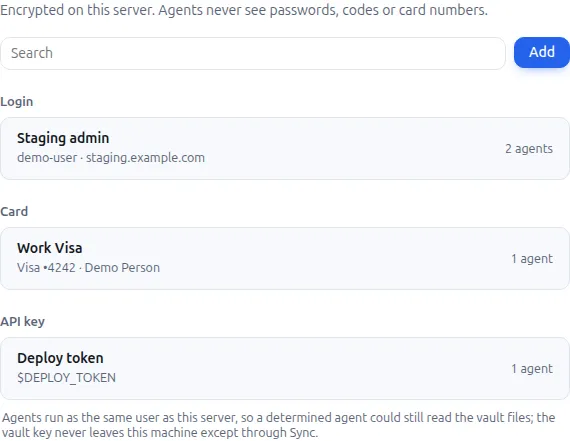
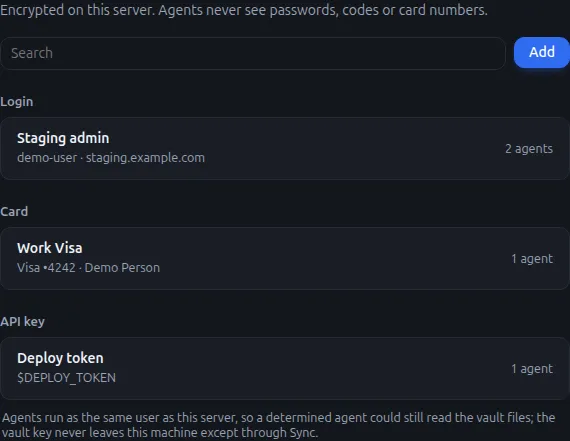
Everything in the Vault is encrypted on the computer that runs your ZumiBot server: your PC in Local mode, your server otherwise.
Add an item
Section titled “Add an item”-
Open Settings, then Vault. Choose Add, then Login, Card, Contact or API key. A new form opens. ← All items brings you back.
-
Fill in the form. Each kind has its own boxes (below). Name is what you and the agent call the item. Give it a clear name, such as “Work Visa”.
-
Pick the agents. Under Agents that can use this, tick each agent that may use the item. Until you tick one, the box reads “None yet: no agent can use this item.” Zumi Bot never appears in the list, because it cannot use the Vault.
-
Choose Save. To change an item later, choose its row. Cancel leaves the form, and asks first if you changed something.
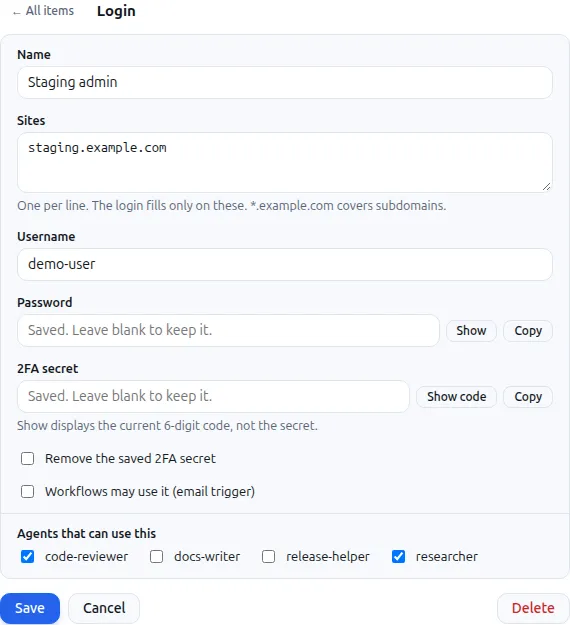
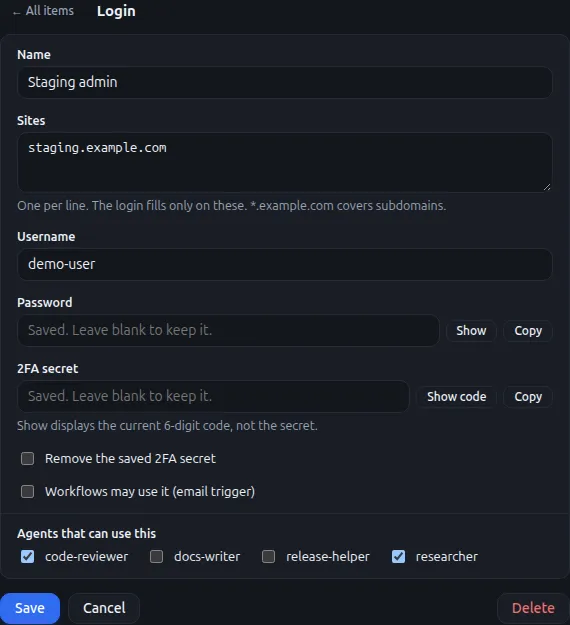
- Sites. One site per line, up to ten. The login is used only on these sites.
*.example.comcovers every subdomain ofexample.com. - Username and Password.
- 2FA secret (optional). Paste the base32 secret or an
otpauth://link. The agent then gets the current 6-digit code, never the secret. Tick Remove the saved 2FA secret to take it away. - Workflows may use it (email trigger). Lets a workflow’s email trigger sign in to a mail server with this login. It is off until you tick it.
Name on card, Card number, Expiry (as MM/YY) and Security code. If the number does not pass the usual check, the form warns you: “This card number doesn’t pass the usual check. Make sure it is typed right.” You can still save it.
Contact
Section titled “Contact”Full name, company, email, phone, two address lines, city, region, postal code and country. These are not secret, and the form says so: “Contact details are not secret: allowed agents read them.”
API key
Section titled “API key”- Environment variable. The name the key goes by, in capital letters, such as
DEPLOY_TOKEN. Some names are reserved, and the form tells you. - Key. Paste it. It must be at least 8 characters.
- What it is for. A short note. Agents read it to know when to use the key.
- Workflow HTTP steps can use this. Lets a workflow’s HTTP step send the key. Off until you tick it.
See or copy a saved value
Section titled “See or copy a saved value”A saved secret never fills the form again. Its box is empty and reads “Saved. Leave blank to keep it.” Leave it empty to keep the saved value, or type a new one to replace it.
- Show fetches that one value and shows it. It hides again after 30 seconds, or when you choose Hide.
- Show code on a 2FA box shows the current 6-digit code, not the secret.
- Copy puts the value on your clipboard and keeps nothing on the page.
Showing and copying are limited to 30 a minute.
What an agent can do with an item
Section titled “What an agent can do with an item”An agent checks the Vault before it asks you for something. It sees each item it may use by name, with only the harmless parts: a login’s sites and username, a card’s name on card and last four digits, a contact’s details, an API key’s variable name and note. It never sees a secret.
- Logins and cards in the browser. The agent asks ZumiBot to fill a field from an item. ZumiBot types the value into the page itself, so the value does not pass through the agent. A login fills only on its listed sites, and only on secure (https) pages or on your own computer (localhost). The chat shows a row such as “Filled from vault · Work Visa · card number”. See The agent’s browser.
- Cards ask first. The first time an agent uses a card on a site, a card appears in the chat, such as “@Code Reviewer wants to use Work Visa (Visa •4242) on shop.example.com”. Allow fills it and remembers that site for the card. Deny fills nothing and remembers nothing. The agent waits for your answer. A card form served from another host is named on the card, so you can see it is not the page itself.
- API keys as variables. Every run of an agent you ticked starts with the key set under its variable name, so tools such as
curljust work. No approval card is shown for a command that uses it. - Page text is cleaned. When an agent reads a page, any saved password, card number or key is replaced by
[hidden by vault]first, whichever item it belongs to.
Approved sites
Section titled “Approved sites”A card’s form lists Approved sites: each site you allowed, and the host of its card form when that differs. Choose Remove beside one to ask again next time. Before the first Allow, it reads “None yet. The first use on a site asks you in the chat.”
Delete an item
Section titled “Delete an item”Open the item and choose Delete. The dialog reads, for example, “Delete Work Visa? Agents lose access. This can’t be undone.” Choose Delete again to confirm.
Back up the vault key
Section titled “Back up the vault key”The Vault is sealed with one key file. It is kept apart from your data folder, by default in ~/.config/zumibot-vault/vault.key. On a server, ~ is the home folder of the user ZumiBot runs as. The key is made the first time you save an item.
- Copy it yourself. Put a copy in your password manager or on an offline disk. Backups of your data folder never contain the key. Without it, the Vault cannot be opened.
- Restore it first. If you move to a new server, put the key back at the same path before you start ZumiBot there.
- If the key is missing, Settings says “The vault key file is missing” and shows the path it looked at. If it is the wrong one, it says “The vault key does not match”. Until you put the right file back, agents see an empty Vault and nothing fills.
- If the key is gone for good, choose Start a new vault. The dialog reads “The vault file is set aside, not deleted, but its items stay unreadable without the right key. Agents lose access to them. The vault starts empty.”
Tips and limits
Section titled “Tips and limits”- It is a speed bump against a determined agent, not a wall. Agents run as the same computer user as the server. ZumiBot blocks their file tools and shell commands from the vault files and key, but a determined agent could find another way. The page says so itself. To close that gap for an agent, see Audit log and isolation.
- A value the agent prints can leak. If an agent prints a key into the chat, the model has seen it, and Claude Code’s own session record keeps it. Only exact values are cleaned: the same secret written another way, such as a base64 header, passes. Screenshots cannot be cleaned.
- Some card fields are hidden, not cleaned. The security code, expiry, 2FA codes and passwords shorter than 6 characters are masked in the page field, but are not removed from text an agent reads.
- Do not save a wildcard on a shared site. A site such as
*.github.iowould let the login fill on every page under it. - Agents on other tools. An agent set up to run on a different tool may get API keys in a narrower way. If so, its tick box carries a short note.
- Agents with a limited tools list. If you restricted an agent to a list of tools in Agent Studio, save that agent once more so it can check the Vault.
- Limits. The Vault holds up to 500 items. A name is at most 100 characters.
Related
Section titled “Related”- The agent’s browser: signing in with a saved login.
- Approvals, questions and plans
- Servers, plugins, skills and hooks: fill a server’s variable From Vault….
- Workflow triggers and workflow steps: use a login or a key in a workflow.
- Audit log and isolation
- Data folder and backups: back up the vault key with your server.