
Codex agents
Every agent runs on Claude Code unless you say otherwise. A Codex agent runs on OpenAI’s Codex instead. You chat with it, approve its steps and put it in rooms, routines and workflows the same way. The engine is the only thing that changes, and it is a choice you make per agent in Agent Studio.
Before you start
Section titled “Before you start”Codex must be installed and signed in on the computer that runs your ZumiBot server. That is your PC in Local mode, and your server otherwise. ZumiBot does not install it or sign you in.
- Install OpenAI’s Codex command line tool there. OpenAI’s own documentation has the steps.
- Open a terminal on that computer and run
codex login.
Until the tool is installed, Codex is grayed out in the Engine list, with the line “Codex CLI not found. Install it and run codex login on this machine.” If it is installed but you are signed out, a message fails with “Codex is not signed in on this machine. Run codex login in a terminal.”
Make an agent run on Codex
Section titled “Make an agent run on Codex”-
Open the agent in Agent Studio, or make a new one. See Agent Studio.
-
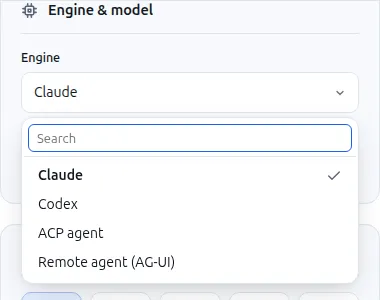
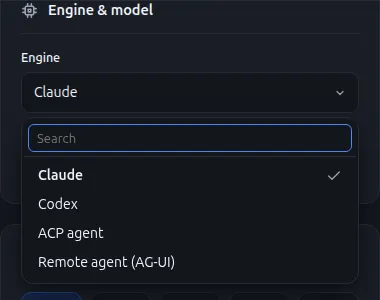
Open the Engine list in the “Engine & model” card and choose Codex. The list offers Claude, Codex, ACP agent and Remote agent (AG-UI). The last two are for other kinds of agents.
-
Pick a model, or leave it on Default. The buttons under the list are Default and the models your Codex tool offers. A Custom model box takes a model name that is not listed.
-
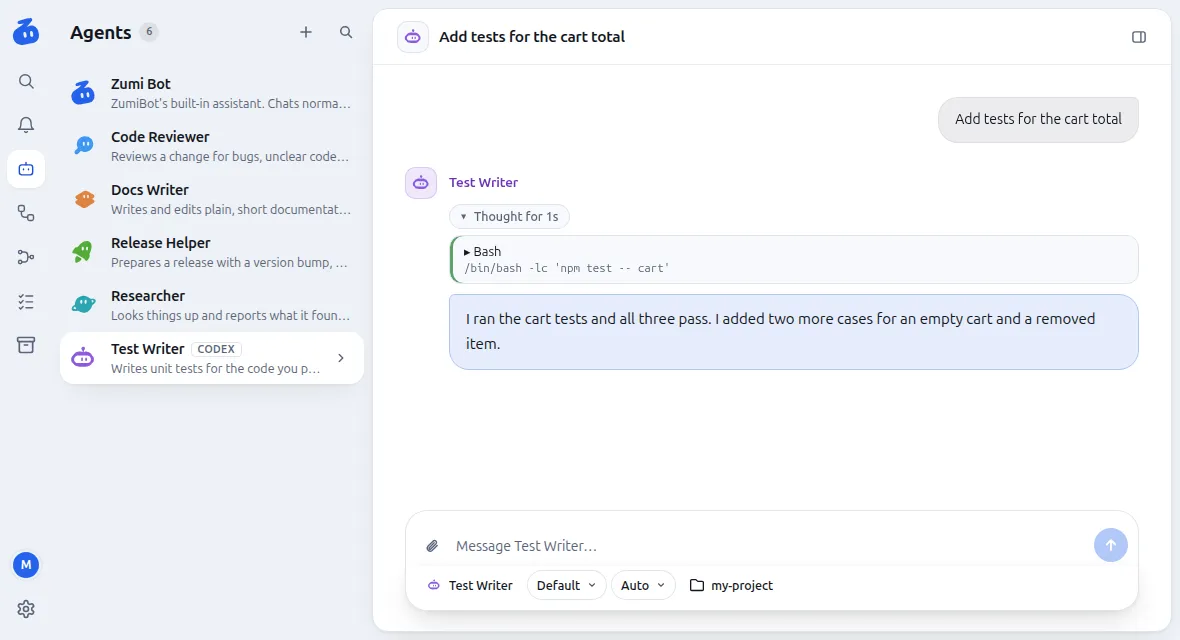
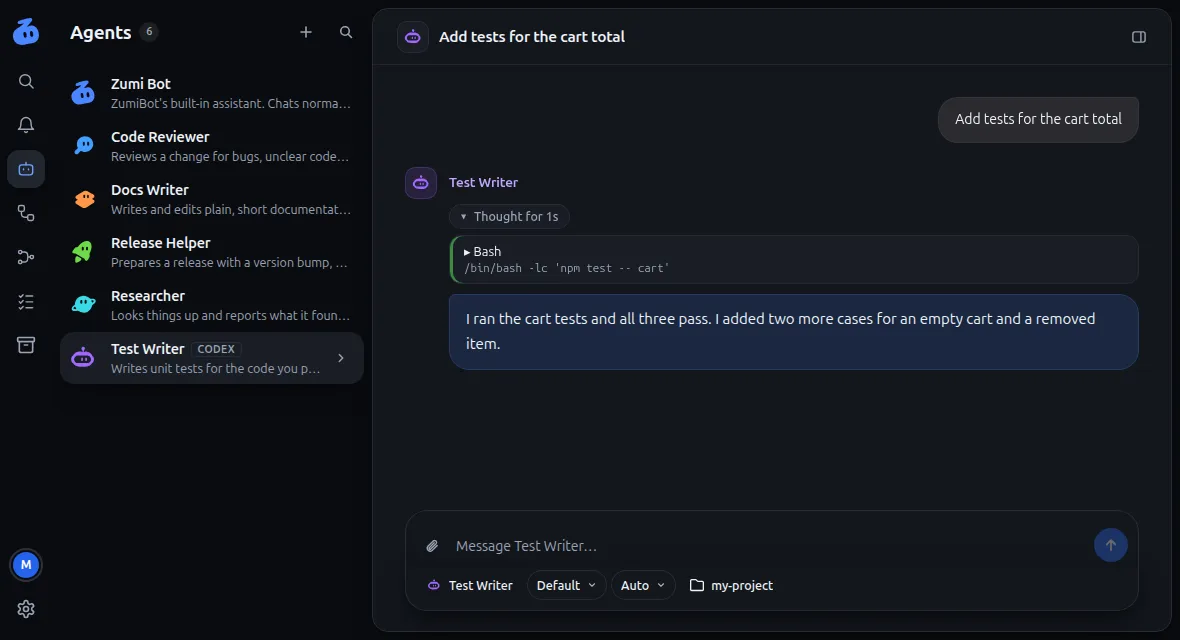
Choose Save changes. The agent shows a small Codex tag beside its name in the sidebar.
You can also ask Zumi Bot for a Codex agent. It writes one only when you ask for it.
When you change an agent’s engine, the model is kept only if the new engine can use it. Otherwise it goes back to Default. A daily spend cap is dropped too if the new engine cannot hold one. See Spend caps.
Chat with it
Section titled “Chat with it”Start a chat with the agent as you would with any other. Its replies stream, its commands and file changes show as steps, and its approvals arrive as cards.
Two things look a little different from a Claude Code chat:
- The mode picker offers Auto and Ask permissions only. In Auto, Codex runs what its own reviewer finds safe and asks about the rest. In Ask permissions it asks before anything it does not know to be safe. Even then, a harmless read such as listing a folder may run without a card. Plan mode and Accept edits are for Claude Code agents.
- There is no effort picker. The model picker lists the models Codex offers.
Approvals, questions and file changes are covered in Approvals, questions and plans and Files and Restore. The Usage popover also shows a block headed “Codex usage limits” with the limits Codex reports, beside the Claude Code ones.
What works on each kind of agent
Section titled “What works on each kind of agent”Some features belong to one engine only. Where a feature is missing, ZumiBot hides its button instead of showing one that fails. A small “i” beside the agent in a chat lists what that agent cannot do.
| Claude Code | Codex | ACP agent | Remote agent | |
|---|---|---|---|---|
| Edit, Resend and Fork | Yes | Yes | No | Yes |
| Pause | Yes | Yes | No | No |
| Side questions | Yes | Yes | No | No |
| Compact | Yes | Yes | No | No |
| Model picker | Yes | Yes | No | No |
| Spend caps | Yes | Yes | No | No |
| Group rooms | Yes | Yes | Yes | No |
| Files panel and Restore | Yes | Yes | Yes | No |
| Question cards | Yes | Yes | Yes | Yes |
| To-do, Vault, ask and browser tools | Yes | Yes | No | No |
| Plan mode, memory, computer use | Yes | No | No | No |
| Sandboxed and Container isolation | Yes | No | No | No |
More detail on Codex:
- Rooms. A Codex agent can be a room member. The moderator that picks who speaks, and the room summary, always run on Claude Code, so a room still needs Claude Code installed. See Group rooms and the moderator.
- Routines and workflows. A Codex agent runs in routines and in the Agent steps of workflows like any other agent.
- Asks. A Codex agent can ask another agent, and be asked. See Agent asks. When a Codex agent is the one being asked and wants to ask a question of its own, that question gets an empty answer.
- Compact. It works, but the note box is hidden and the meter reads “Compacted” with no sizes, since Codex reports none.
- Subagents. A Codex agent can send out helpers. They show in Dispatched agents.
- Not available. Computer use, memory, Plan mode, the keep-warm setting, the background-process tool, Claude Code servers, plugins, skills and hooks, and claude.ai connectors are for Claude Code agents. The cards for them are hidden or view-only on a Codex agent.
Tips and limits
Section titled “Tips and limits”- Isolation is refused. Sandboxed and Container isolation cannot hold a Codex agent. Agent Studio says so, and a Codex agent that is saved with one of them will not run. Codex keeps its own sandbox, which ZumiBot leaves as it is. See Audit log and isolation.
- API keys from the Vault. A Codex agent can use them, but only when ZumiBot’s guard for it starts. The guard is a speed bump, as it is for Claude Code agents, not a wall. If Codex does not confirm it, the reply runs without the guard and without the agent’s API keys, and the chat says so first: “Codex didn’t confirm ZumiBot’s hooks, so this reply runs without the vault guard or the agent’s API keys”. Pause then lands only when the reply ends. See Vault.
- Keys that Codex reads for itself. A key whose name starts with
CODEX_orOPENAI_is not passed to a Codex agent, so it cannot change Codex’s own sign-in. - A printed value stays in Codex’s own history. If a command prints a secret, Codex keeps that text in its own session files, and ZumiBot does not clean them.
- Switching an agent between engines starts the conversation over. A chat cannot carry one engine’s memory to the other. The next message continues in a new session that uses the chat’s history as context, and the chat says “Earlier session expired. Continued in a new session using this chat’s history as context.”
- Usage limits. When Codex reports that its limit is reached, the chat waits as described in Usage limit waits.
Related
Section titled “Related”- Agent Studio
- ACP & AG-UI: other kinds of agents.
- Mode, effort and model
- Group rooms and the moderator
- Spend caps