
Background processes
Some jobs must outlive a reply: a dev server you open in the browser, a test watcher, a build that takes ten minutes. An agent can start such a job as a background process. ZumiBot runs it, keeps it going after the reply ends, and lists it in the chat’s side panel, where you can read its output and stop it.
A process belongs to one chat. It never outlives the chat, the server, or its time limit.
What you see
Section titled “What you see”-
An approval card appears when the agent wants to start one. It is titled “Start a background process” and shows the whole command, the folder it runs in (“the chat folder” when the agent gave none), the name, and the words “keeps running after this reply”. Nothing runs until you choose.
-
Choose Allow once, or Allow for this chat or Allow always for this agent. Both of those cover only this exact command in this folder, never a different command. Choose Deny to say no. Even in Auto mode this card asks every time.
-
Watch the header. While a process runs, a small mark with a green dot and a terminal icon sits beside the panel icon at the top of the chat. Point at it to read “1 process running”. Choose it to open the list.
A running process is not a running reply. The message box still offers Send, the sidebar does not show the agent working, and you can keep chatting.
The Processes panel
Section titled “The Processes panel”Choose the panel icon, then Open Processes. A badge on that row reads “1 running” while one runs, and the total after that. On a phone the panel fills the screen, as it does in the picture.
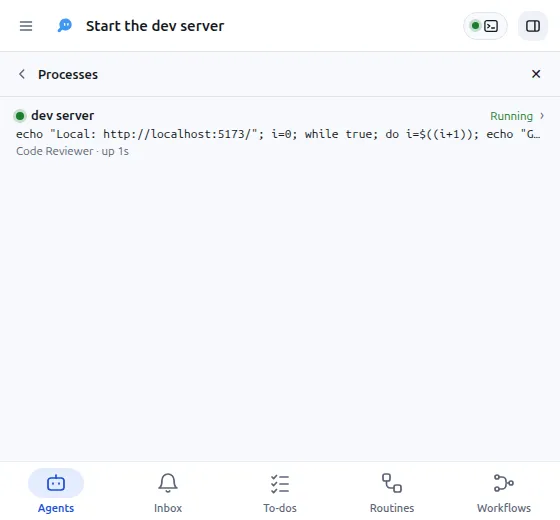
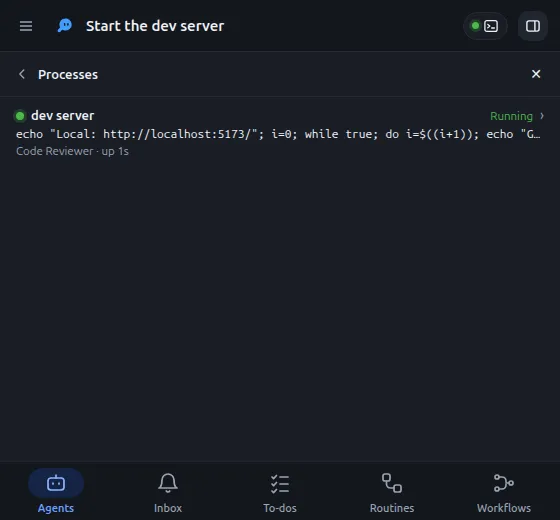
Each row shows the process’s name, its state, the command on one line, who started it, and how long it has run. A process that ended shows how long ago. The dot is green only while the process runs, red when it failed, and gray once it ended any other way, even with code 0. The state is one of:
- “Running”
- “Exited (code 0)”, or another code, when it ended by itself
- “Stopped by you”, “Stopped by the agent”, “Stopped at archive”, “Stopped at its time limit” or “Stopped with the server”
- “Lost at restart”, when the server restarted while it ran
- “Failed to start”, with the reason
An empty list reads “No processes yet. When an agent starts a dev server, a watcher or a long build, it runs here after the reply and you can read and stop it.”
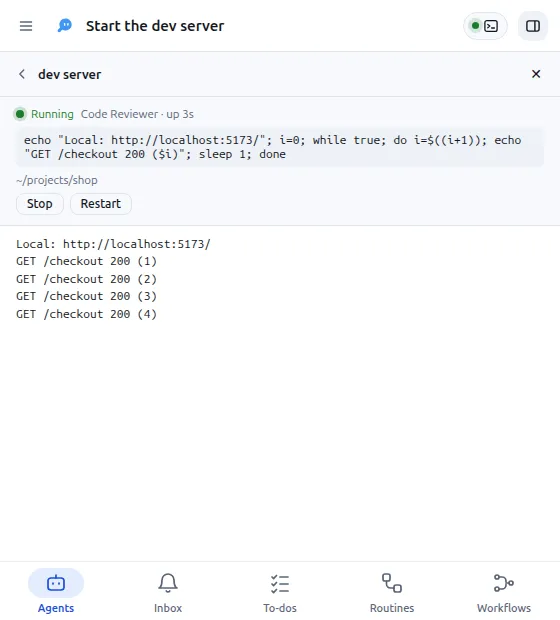
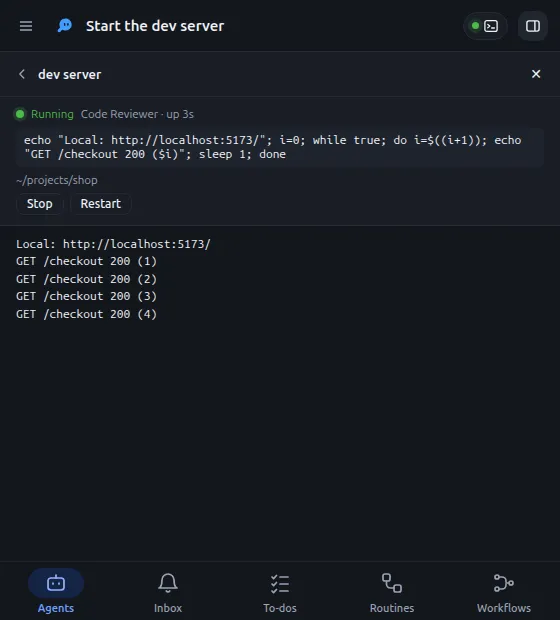
Choose a row to open it. You get the state, the whole command, the folder, and the output so far, which keeps growing while the process runs and follows the end unless you scroll up. Three buttons control it:
- Stop ends the process and everything it started.
- Restart ends it if it runs, then starts the same command again in the same row. Your click is the approval, so no card asks.
- Forget removes an ended process from the list, with its output.
How the agent uses it
Section titled “How the agent uses it”The agent starts a process, waits for a line that says it is ready (such as “Local:”), reads its output on later turns, and stops it when done. Because you can read the same output in the panel, you and the agent see the same thing.
An agent can also ask to be woken. It sets a rule when it starts the process: wake it when the process exits, when it fails, or when its output has a given line. A row with a rule says so under it, such as “Wakes the agent if it fails” or “Wakes the agent when it exits”, and counts the times used. When the rule fires, ZumiBot sends the agent one message in the chat with the exit code and the last lines of output. It says that it was sent by ZumiBot for a process rule and not typed by you. The agent answers on its own turn. Stopping a process never wakes anyone.
Tips and limits
Section titled “Tips and limits”- Folder and environment. A process runs in the chat’s folder, or a folder inside it, never outside. It gets no input, so a command that waits for typing sees the end of input. It does not get your vault keys or ZumiBot’s own settings. If a server needs a key, it must read it from your project.
- Limits. A chat can run 5 processes, and the server 20, and two running ones in a chat cannot share a name. A process stops by itself after 12 hours unless the agent chose a shorter time. The list keeps the 20 newest ended processes of a chat. Output is kept in part: very old lines are dropped first, and the log says “earlier output is no longer kept”.
- They end when the chat ends. Archiving or deleting a chat stops its processes. Stopping a reply, Pause, Edit and Resend do not.
- A restart stops them all. If ZumiBot’s server restarts, every running process is stopped, and on the next start they read “Lost at restart”. In Local mode, quitting the desktop app stops the server, and the app asks first, with a line such as “2 background processes will stop. Quit?”. A running process does not block an update.
- Plan mode waits. While an agent is still planning, starting a process is refused: “Start processes after the plan is approved.”
- Not every agent can. An agent set up to run on a different tool than Claude Code, and an agent set to run in a sandbox or a container, do not get this tool. In a group room the panel lists what any member started.
- Your own runs show here too. A command you start with the Run button on a code block is listed in the same panel, with the same limits.
- No copies. A fork or a cloned room starts with no processes.
- Wake-ups are rationed. A chat gets at most six wake messages an hour and the server thirty, so a crashing loop cannot run up your usage. A skipped wake-up leaves a note on the row, such as “Wake-up skipped: daily spend cap”. A wake message does nothing in an archived chat.